
If you are looking for the best AI social media tools for businesses in 2026, here is the short answer: the right tool depends entirely on what part of your workflow is broken.
Are you struggling to create content? You need a creative AI platform. Already have content but no time to post it? A smart scheduler is what you are after. Need to know what your audience thinks about your brand? That is a social listening problem, not a scheduling one.
The reason most “best tools” lists fail is that they treat every business the same. A solo founder running a Shopify store and a marketing team managing 20 client accounts have almost nothing in common in what they actually need.
What has changed in 2026 is the baseline. According to HubSpot’s 2026 State of Marketing report, 66% of marketers now use AI in their roles, and those using generative AI tools save between one and two hours per day. AI is no longer a competitive advantage; it is the new minimum.
This guide covers 10 tools that genuinely deliver results. Each one is evaluated on what it actually does well, who it works best for, and where it falls short. No inflated claims. No padding.
What to Look for Before Choosing an AI Social Media Tool
Before comparing pricing pages, identify your actual bottleneck.
Most businesses have one of three problems: they struggle to produce content consistently, they have content but no system to distribute it, or they are posting regularly but have no idea what is working. Each of those requires a different type of tool.
There is also an important distinction worth understanding before you spend a dollar. A tool that added a ChatGPT wrapper to its caption editor is not the same as a platform built around AI from day one. The first saves you 30 minutes a week. The second can transform your entire workflow.
Pricing models matter too. Some platforms charge per seat, meaning every person on your team costs extra. Others charge per social channel. For small teams managing many accounts, the difference can be thousands of dollars per year.
One more thing: test any tool with your actual content during the trial period. Do not just test the interface. Test whether the AI output actually fits your brand without needing heavy editing. That is the real question.
Quick Comparison of the Best AI Social Media Tools
| Tool | Best For | Starting Price |
| Predis.ai | AI-powered social media content, ads, videos, and auto-posting | $19/month |
| Hootsuite | Enterprise social media management | $99/month |
| Buffer | Small businesses and creators | $6/channel/month |
| Sprout Social | Social media management and customer engagement | $79/seat/month |
| Canva | AI-powered graphic design and visual content | $15/month |
| Jasper AI | AI copywriting and brand voice | $39/seat/month |
| Later | Instagram and TikTok scheduling | $18.75/month |
| SocialBee | Evergreen content scheduling | $29/month |
| Sprinklr | Enterprise customer experience management | Custom Pricing |
| Brandwatch | Social listening and consumer intelligence | Custom Pricing |
The 10 Best AI Social Media Tools for Businesses in 2026
1. Predis.ai – Best for AI Ad Creation, Video Generation, and Auto-Publishing
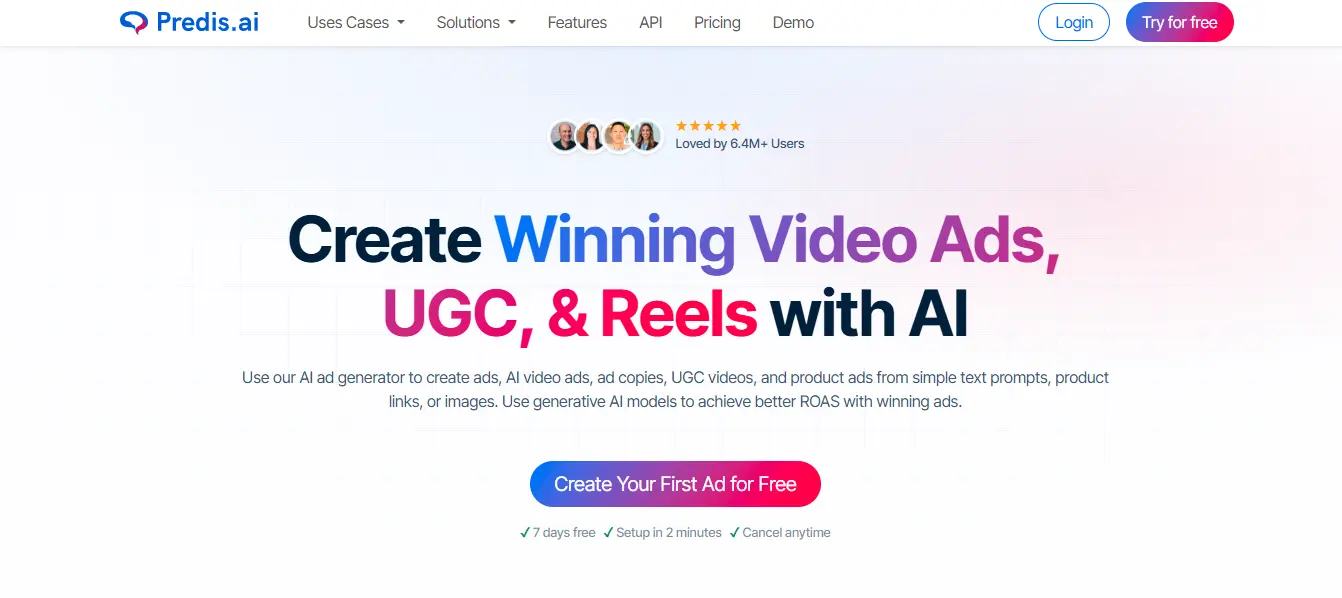
If your primary bottleneck is producing high-quality creative content at scale with ads, videos, social posts, and reels, Predis.ai is the most complete platform available in 2026.
It is not just a scheduler with AI captions bolted on. The entire platform is built around content generation first, with scheduling and analytics layered on top. That difference in architecture matters enormously in day-to-day use.
What It Does
Predis.ai lets you make ads from a text prompt, a product URL, or an image. It generates static ad creatives, video ads, UGC-style content, and product ads across 19+ languages with a proven 3x higher click-through rate compared to manually created alternatives.
The AI video generator is powered by some of the most advanced generative models available today, including Google’s Veo, Gemini, ByteDance’s Seedance 2.0, Kling 3, and Minimax. This means the video quality is not just adequate, it is commercially competitive. You can produce Instagram Reels, TikTok videos, YouTube Shorts, voiceover videos, product video ads, and UGC avatar content without hiring actors or booking studios.
The dedicated Instagram Reels maker handles Reels specifically with hooks, captions, and format optimization built in, so the output is ready to post, not just ready to edit.
For broader social content, the social media post generator covers carousels, feed posts, stories, memes, LinkedIn carousels, and more. Brand kit integration means every output stays consistent with your colors, fonts, and logo automatically across every format.
Once the content is created, auto post handles distribution to 60+ social channels with a content calendar, approval workflows, and up to three automated posts per day per brand on the Enterprise tier.
Real Numbers
The platform reports a 1.5x average increase in ROAS for users, a 75% reduction in hours spent on content production, and over 200 million ads generated to date. It is trusted by brands including Semrush, Yamaha, Hyatt, Accenture, Nvidia, and Vodafone. Ratings sit at 4.7/5 across G2, Trustpilot, and Shopify.
Pricing
A 7-day free trial is available with no setup required. Paid plans start at $19/month (Core), $40/month (Rise), and $212/month (Enterprise+) billed annually.
Best for: E-commerce brands, marketing agencies, content creators, and any business that needs to produce ads and video content at scale without expensive production cycles.
Worth knowing: Unlike pure scheduling tools, Predis.ai solves the creative production problem first. If your team is still spending hours designing posts and editing videos manually, this is where that time gets reclaimed.
2. Hootsuite (OwlyWriter AI) – Best for Multi-Platform Enterprise Management
Hootsuite has been around since 2008, which means it has had more time than almost any other platform to build out enterprise-grade features. In 2026, those features include a genuinely capable AI layer called OwlyWriter.
What It Does
OwlyWriter generates platform-optimized captions, repurposes top-performing historical posts, writes content from a URL or prompt, and applies copywriting formulas for ads and landing page copy. It is not the most advanced AI writer on this list, but it integrates directly into Hootsuite’s scheduling and approval workflows, which is where it earns its place.
OwlyGPT goes further. Unlike a standard AI assistant, it is trained on real-time social conversations, which means it can factor in trending topics when drafting captions. It also provides audience insights and competitive intelligence without requiring a separate tool.
The platform includes an AI hashtag generator, smart scheduling based on historical engagement patterns, and an Advanced Inbox with automated message routing and auto-responses. For compliance-heavy industries, it integrates with Proofpoint so every AI-generated post passes compliance checks before it ever goes live.
Social listening is available through a Talkwalker integration on Business-tier plans, one of the deepest listening capabilities on any integrated platform.
Pricing
Hootsuite starts at roughly $99/month for one user managing up to 10 social accounts. Team plans run around $249/month. Advanced plans start at $399/seat/month. Social listening requires a business plan at $739+/month. A 30-day free trial is available with no credit card required.
Best for: Mid-size to enterprise marketing teams managing five or more social accounts across multiple platforms who need scheduling, analytics, compliance, and listening under one dashboard.
Honest limitation: At $99/month minimum with no free tier, Hootsuite is a significant commitment for small businesses. Several competing tools offer comparable AI features at lower price points. The interface also has a learning curve that catches first-time users off guard.
3. Buffer (AI Assistant) – Best for Small Teams and Budget-Conscious Creators
Buffer’s strength has always been its simplicity. In 2026, that simplicity extends to its AI Assistant, which is included on every plan, including the free tier. No separate subscription, no credit system, no paywall.
What It Does
Buffer’s AI Assistant drafts captions, rewrites content for different platforms and tones, repurposes long-form articles into social posts, translates content into multiple languages, and generates post ideas from a topic or prompt. For a first draft, it works well. For publication-ready copy, expect to spend 5–10 minutes refining.
What sets Buffer apart from per-seat competitors is its pricing model. Buffer charges per social channel, not per team member. A five-person team managing eight channels pays the same as a solo creator managing eight channels. For growing teams, that difference is significant, sometimes thousands of dollars per year, compared to platforms like Sprout Social.
The platform supports 12 social networks, including Threads, Bluesky, TikTok, and Pinterest. It also includes a Start Page link-in-bio builder that competes with standalone tools like Linktree.
If you are curious how AI tools compare more broadly, the Claude vs ChatGPT comparison gives useful context on how different AI models approach writing tasks, which matters when you are evaluating what to expect from any AI assistant.
Pricing
The free plan covers 3 channels with 10 scheduled posts each and includes the AI Assistant. The Essentials plan starts at $6/channel/month and adds full analytics and engagement tools. The Team plan is $12/channel/month with unlimited team members.
Best for: Solo creators, freelancers, early-stage startups, and small businesses managing fewer than 10 social channels who want practical AI assistance without enterprise complexity.
Honest limitation: Buffer has no social listening, limited integrations, and lighter analytics than Hootsuite or Sprout Social. If your content is already created and you just need a reliable distribution system, it is hard to beat the value. If you need to create content from scratch, you will need another tool alongside it.
4. Sprout Social (AI Assist + Trellis) – Best for Sentiment Analysis and Customer Intelligence
Sprout Social is not primarily a scheduler. It is a social intelligence platform that happens to include scheduling. The distinction matters because it shapes everything from the features available to the price.
What It Does
Sprout’s AI Assist provides real-time sentiment analysis across mentions and direct messages. It automatically categorizes tone, flags emerging brand issues before they escalate, and drafts contextually relevant reply suggestions for customer service teams. A human agent reviews before sending, which keeps quality high without the manual time cost.
The Trellis social intelligence layer is Sprout’s most significant 2026 addition. It distills social data into actionable insights across marketing, product, and customer care teams. Instead of raw metrics, you get directional recommendations.
The reporting automation is genuinely useful for teams that present to leadership regularly. Sprout can turn raw engagement data into formatted executive summaries without manual analysis, saving roughly 3.8 hours per week that the average social media manager spends on reporting, according to Sprout’s own survey data.
The platform also handles review management across Yelp, Trustpilot, and Google, plus deep integrations with Salesforce, HubSpot, Shopify, Zendesk, and Slack.
AI scheduling tools like Sprout Social have been shown to improve engagement rates by 25–40% compared to fixed posting schedules, based on data from multiple platform providers in 2026.
Pricing
Sprout Social’s Essentials plan starts at $79/seat/month (annual billing). Standard is $199/seat/month. Professional is $299/seat/month. Advanced is $399/seat/month. Enterprise is custom. A 30-day free trial is available with no credit card on annual billing.
Best for: Mid-market and enterprise brands where reputation management, customer engagement at volume, and cross-department reporting are real priorities, not just content distribution.
Honest limitation: Per-seat pricing escalates fast. A five-person team on the Professional plan costs $1,495/month. That is justified for teams where social media is a core business function. For smaller operations, Buffer or SocialBee will serve the purpose at a fraction of the cost.
5. Canva (Magic Studio) – Best for AI-Powered Visual Design
Canva is the most accessible creative platform on this list. Its Magic Studio suite in 2026 is not a collection of disconnected AI gimmicks; it is a genuinely integrated design workflow where every AI feature feeds into the next.
What It Does
Magic Design generates complete, ready-to-edit layouts from a text prompt in seconds. Magic Write handles copywriting directly inside the canvas, with design awareness, meaning it writes caption copy that fits the format and respects character limits without you telling it to.
Dream Lab is Canva’s text-to-image generator, powered by the Leonardo.ai Phoenix architecture. The 2026 update added Style Transfer: upload one reference image, and Dream Lab generates new visuals that match its aesthetic, palette, and composition. For campaigns that need visual consistency without a professional photographer, this is practical.
The standout 2026 addition is Canva AI 2.0, a conversational interface where you describe what you want in text or voice, and the editor produces a fully editable design. Independent testing found it produced a five-slide LinkedIn carousel in 14 seconds and a 10-slide pitch deck in 22 seconds.
Bulk Create is the feature most businesses underuse. Upload a CSV with 200 product names, and Canva generates 200 social post variations in a single click. For e-commerce brands running Black Friday campaigns or seasonal promotions, this alone can justify the Pro subscription.
The Content Planner (Pro and above) lets you schedule posts to eight social platforms directly from within Canva, no third-party scheduler required for lighter publishing needs.
According to Canva’s official AI in Marketing report (2026), 85% of marketers save at least four hours per week with AI tools, the equivalent of one full workday every two weeks.
Pricing
The free plan gives roughly 50 AI credits per month and covers basic design needs. Pro is $15/month (individuals) and unlocks unlimited Magic Design, approximately 500 AI credits monthly, 100GB storage, and the full Brand Kit. Business is $20/user/month with a three-user minimum, adding approval workflows and advanced team controls.
Best for: Small businesses, social media managers, and content creators who need professional-quality visuals without a design background and who want design, copy, and light scheduling in one place.
Honest caveat: AI credits run out faster than expected for heavy users. Dream Lab image quality is strong but does not match dedicated tools like Midjourney for precision creative work. Advanced features like Magic Layers are currently in beta for select countries only.
6. Jasper AI – Best for Brand Voice Consistency at Scale
Jasper’s reputation as an AI writing tool undersells what it has become in 2026. It now functions as a governed marketing platform, a system designed to ensure that every piece of content produced by your team sounds like it came from your brand, not from a generic AI model.
What It Does
The core of Jasper is Jasper IQ, an intelligence layer that embeds your brand voice, audience profiles, style guidelines, and product knowledge into every output automatically. Admins configure the rules once; the system enforces them across the entire team.
The Brand Voice feature trains on your existing content and reverse-engineers your tone, vocabulary, and formatting rules. In 2026, this has been extended to multi-modal knowledge meaning you can upload videos and audio files as brand reference material, not just text documents.
Content Pipelines automate end-to-end marketing workflows from brief to publication. Jasper Agents handle specific tasks: SEO content, social media posts, email campaigns, research, and personalization. Jasper Studio provides a no-code builder for creating custom AI apps and workflows without engineering resources.
For high-volume content teams, Jasper Grid lets you generate content at scale in a spreadsheet format particularly useful for e-commerce brands producing hundreds of product descriptions or social captions simultaneously.
The platform reports that users consistently see 2–5x faster content output. More than 100,000 paid enterprise users rely on Jasper in 2026, including roughly 20% of the Fortune 500 brands like Prudential, Wayfair, and Ulta Beauty.
Pricing
The Creator plan starts at $39/seat/month (annual) with one Brand Voice and three Knowledge Assets. The Pro plan is $59/seat/month (annual) and supports two Brand Voices, five Knowledge Assets, and collaboration tools. Business is custom pricing typically $250+/month for small teams based on user-reported data. A 7-day free trial is available on Creator and Pro plans.
Best for: Marketing teams, agencies, and enterprises producing high volumes of content across multiple channels where brand consistency is a measurable business requirement not solo writers publishing occasionally.
Key insight: Jasper is the right choice when the pain point is “everyone on our team sounds different” rather than “we do not know what to post.” If content drift across a distributed team is costing you editorial review time, the Brand Voice feature alone solves the problem. If you are just starting out, it is overkill.
7. Later – Best for Visual-First Instagram and TikTok Workflows
Later was built specifically for brands where visual content drives everything. Its calendar-first approach and native Instagram/TikTok support make it the natural choice when your content strategy starts with an image or video, not a caption.
What It Does
The visual content calendar with drag-and-drop scheduling is Later’s defining feature. The Instagram grid preview shows exactly how your feed will look before anything goes live, a small detail that matters a lot for brands where aesthetic consistency is the whole point.
Later includes an AI caption generator and content idea engine, along with a best-time-to-post analysis based on your account’s historical engagement data. Its Link in Bio feature (a native page with link tracking and analytics) is competitive with standalone tools.
Format support covers Instagram Stories, Reels, TikTok, Pinterest, YouTube Shorts, and LinkedIn with native format optimization for each.
To understand which platforms your audience actually uses most, it is worth reading the breakdown of the top 10 most used social media platforms in the world useful context before deciding where to focus your posting strategy.
Pricing
The Starter plan begins at $18.75/month (annual billing) for up to five channels with 30 posts per profile per month. The Growth plan is approximately $37.50/month for 10 channels with 180 posts per profile per month. A 14-day free trial is available. Note: AI credits are limited at lower tiers five credits per month on Starter is not enough for regular use.
Best for: Brands publishing around assets, first product launches, UGC, creator partnerships, seasonal campaigns, and accounts where the Instagram feed aesthetic is a deliberate strategy.
Honest limitation: Later is a visual planning and distribution tool. The AI features support the workflow rather than running it. If content creation is your primary problem, you will need an additional creative tool alongside it.
8. SocialBee – Best for Content Strategy and Evergreen Recycling
Most social media tools treat every post the same you create it, it goes live once, and that is the end of it. SocialBee takes a different view: some content should work harder than that.
What It Does
SocialBee’s content pillar and recycling system lets you organize posts by category educational content, promotional posts, engagement content, thought leadership and assign a posting frequency to each category. Evergreen posts are recycled automatically, so your best content keeps working without you rebuilding the queue manually.
The AI Copilot is more capable than most schedulers at this price point. It includes DALL-E 3 image generation, 1,000+ ready-made prompts organized by content goal, and strategy-based content categorization. At $29/month, it blurs the line between a scheduler with AI features and a fully AI-native platform.
SocialBee supports Facebook, Instagram, LinkedIn, TikTok, Pinterest, X, and Google Business Profile. Team collaboration features and content approval workflows are included from the Accelerate plan upward.
Pricing
The Bootstrap plan starts at $29/month. Accelerate is $49/month. Pro is $99/month. A 14-day free trial is available.
Best for: Businesses with a deliberate content strategy that mixes evergreen and timely posts particularly service businesses, coaches, consultants, and SaaS brands that produce educational content and want to maximize the lifespan of each piece.
Worth noting: SocialBee requires you to have content strategy clarity before the tool adds maximum value. If you are still figuring out what to post and why, start with a creative platform like Predis.ai first to build your content foundation.
9. Sprinklr – Best for Enterprise-Scale Unified Customer Experience
Sprinklr operates in a different tier than most tools on this list. It is not a social media management tool with some extra features, it is a unified customer experience platform that treats social media as one channel within a much broader operational system.
What It Does
Sprinklr’s Unified-CXM platform integrates 30+ digital channels including social media, messaging apps, email, and live chat. Social listening covers billions of data points with AI-powered analysis for trend identification, competitor monitoring, and brand sentiment tracking across regions and languages.
The social advertising management module handles Meta, Google, TikTok, and LinkedIn campaigns from a single interface. Governance controls are robust enough for global brands managing dozens of accounts across markets with different legal and compliance requirements.
Reporting goes beyond standard engagement metrics. Sprinklr’s AI generates executive and board-level presentation materials directly from social data, a meaningful time saving for enterprises where social media performance feeds into quarterly business reviews.
The global social media management market was valued at $32.48 billion in 2025 and is projected to reach $164.52 billion by 2034. Sprinklr is built for the organizations driving that growth at the top end.
Pricing
Sprinklr uses custom enterprise pricing typically starting in the range of $1,500 to $10,000+/month depending on modules, team size, and contract terms. Used by global brands including Microsoft, Nike, and McDonald’s.
Best for: Global enterprises, large agencies, and organizations where social media is deeply integrated with customer service, advertising, and executive reporting. Not appropriate for SMBs.
10. Brandwatch – Best for Competitive Intelligence and Social Listening
Brandwatch does one thing and does it better than almost any tool on the market: it tells you what people are saying about your brand, your competitors, and your industry in real time, at scale, across billions of sources.
What It Does
Brandwatch monitors 1 billion+ sources including social media, news outlets, blogs, forums, and review sites. Its AI-powered sentiment analysis categorizes mentions by tone, topic, and urgency. Emerging issues are flagged before they escalate into PR problems.
The consumer intelligence layer goes deeper than social listening. It builds demographic and psychographic profiles of the audiences talking about your brand, identifies what language resonates with them, and surfaces insights that inform product development and messaging decisions, not just social media strategy.
Image recognition technology identifies brand logos in photos even when your brand name is never mentioned in the text. For brands with strong visual identities, this captures a category of conversation that text-based tools miss entirely.
Brandwatch integrates with publishing platforms including Hootsuite, Sprout Social, and Falcon, so listening insights can feed directly into content decisions.
For businesses that want to understand how to find professional marketing support alongside these tools, a guide to the top digital marketing agencies in the USA covers agencies that specialize in exactly these kinds of data-driven strategies.
Pricing
Brandwatch uses custom enterprise pricing, typically in the range of $800 to $3,000+/month depending on volume and access requirements.
Best for: Marketing and brand teams for whom understanding the market conversation is as important as contributing to it, particularly useful for pre-launch research, post-crisis analysis, and competitive strategy development.
Important distinction: Brandwatch does not publish or schedule content. It is a pure intelligence and listening platform. Teams use it alongside a publishing tool like Hootsuite or Buffer.
How to Choose the Right AI Social Media Tool for Your Business
The most common mistake businesses make is choosing a tool based on the homepage demo rather than their actual daily problem.
Start with your specific bottleneck. If your team is staring at a blank screen for hours trying to produce content, the answer is a creative AI platform like Predis.ai or Jasper. If you have content but it is sitting in a folder because nobody has time to post, a scheduler like Buffer or Later solves the problem. If you are posting consistently but have no visibility into what is working or what your audience thinks, Sprout Social or Brandwatch is the right investment.
For most small businesses, the best starting point is a single tool that handles creation and distribution together and expanding the stack only when a specific gap becomes obvious.
On pricing models, remember this: per-seat pricing (Sprout Social, Jasper) is expensive the moment your team grows. Per-channel pricing (Buffer) is expensive if you manage many accounts, but it can accommodate unlimited team members. Neither model is wrong; they just favor different team structures.
Use the trial period properly. Do not just browse the interface. Take your actual brand content, run it through the AI, and see whether the output needs five minutes of editing or 45. That single test tells you more than any feature comparison chart.
The 10 to 20 hours per week that social media currently costs most marketing teams is the real benchmark. Not the monthly subscription price, but whether the tool actually reclaims that time.
FAQs
The best AI social media tool depends on your goals. If you need help creating posts, videos, ads, and scheduling content in one place, look for an all-in-one platform. If your focus is analytics, scheduling, or social listening, choose a tool that specializes in those features.
Small businesses often benefit from tools that are easy to use and affordable. Platforms that combine content creation, scheduling, and basic analytics can help save time without requiring multiple subscriptions.
Yes. Many AI social media tools can generate captions, images, videos, and post ideas from a simple prompt, website URL, or product description. Most also let you edit the content before publishing.
For many businesses, yes. They can reduce the time spent creating content, help maintain a consistent posting schedule, and make it easier to manage multiple social media accounts.
Yes. Many platforms include built-in scheduling features that allow you to plan posts in advance, publish them automatically, and manage content across multiple social networks from one dashboard.
Some AI platforms specialize in turning text, product information, or images into short marketing videos. The right choice depends on the type of videos you want to create and the social platforms you use.
Compare features such as content creation, video generation, scheduling, analytics, collaboration tools, supported social networks, pricing, and ease of use. Choose a platform that solves your biggest marketing challenge rather than one with the longest feature list.
Yes. Several platforms offer free plans or trial versions with basic features. These are useful for testing the software before upgrading to a paid plan with more advanced capabilities.
Yes. Many agencies use AI tools to create content faster, manage multiple client accounts, schedule posts, and keep brand assets organized across different campaigns.
Start by identifying what takes the most time in your workflow. If creating content is the biggest challenge, choose a platform with strong content generation features. If managing multiple accounts is your priority, look for scheduling, collaboration, and reporting tools that fit your team’s needs.
Final Thoughts
No single tool wins across every use case. The best AI social media tool for your business is the one that removes the specific friction slowing you down right now.
What is clear in 2026 is that the gap between “AI-assisted” and “AI-native” platforms is widening. Tools that bolted a caption generator onto a scheduling dashboard are not in the same category as platforms built from the ground up around AI workflows. As your content demands grow, that difference compounds.
The businesses that will outperform their competitors are not necessarily those spending the most on tools. They are the ones who correctly identify where time and quality are being lost, choose a tool that addresses exactly that, and actually use it consistently.
Start there. Expand the stack when you have a specific reason to.