Field service management (FSM) software is a platform that helps managers oversee everything that happens outside the four walls of an office. That includes scheduling visits, tracking staff locations, managing attendance, logging customer interactions, and generating reports all from a single app.
If you manage a field team and are still using spreadsheets, WhatsApp groups, or paper logs, this list will help you find a better way to run things.
Why Field Teams Need a Dedicated FSM App
Most businesses start with basic tools. A group chat here, a shared sheet there. It works when the team is small, but as the operation grows, things start slipping through the cracks.
Managers lose visibility into who visited which client. Attendance records become unreliable. Field staff waste time on manual reporting at the end of the day. There is no single place to see what the team actually accomplished.
A dedicated field service management app solves these problems. It gives managers a real-time view of field activity and gives field staff an easy way to log their work as it happens, not hours later from memory.
Field Service Management: Where The Market Stands
The numbers behind FSM growth reflect just how much demand has shifted in recent years.
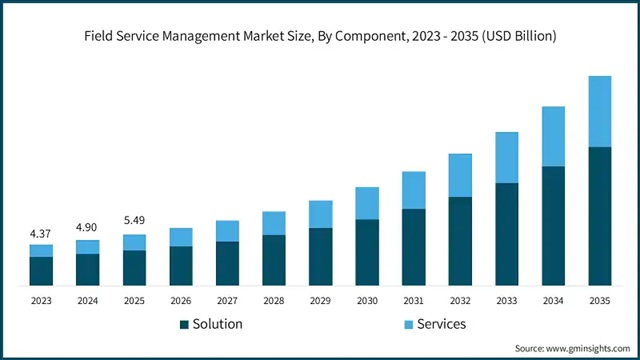
According to Global Market Insights, the global field service management market was estimated at USD 5.49 billion in 2025 and is expected to grow at a 16% CAGR, reaching USD 23.61 billion by 2035. That pace of growth signals how many businesses across industries are moving away from manual processes.
According to Market Reports World (2026), over 45 million field technicians globally now rely on mobile-based platforms for scheduling, work order management, and real-time reporting.
And according to Global Growth Insights (2026), more than 72% of service organizations say improving workforce productivity through digital tools is among their top priorities.
These numbers reflect a real operational shift, not a passing trend.
What to Look for in a Field Service Management App
Before picking a tool, it helps to know what actually matters in daily use.
Real-time GPS tracking is the most commonly used feature in FSM apps. It lets managers see where each team member is at any given moment without calling them. This becomes especially important when you have 10 or more people in the field at once.
Attendance and leave management matters for teams that cannot simply badge in at a front desk. Geo-attendance features where attendance is marked based on location remove the need for paper registers and manual follow-ups.
Visit and task management helps field staff plan their day, check in at client locations, record meeting notes, and mark tasks as complete. Without this, there is no reliable record of what was actually done in the field.
CRM and lead tracking becomes relevant for field sales teams. The ability to log a new lead, update a deal stage, or record a customer order directly from a mobile app saves significant time.
Custom forms let businesses collect the specific data they need from the field. Whether it is a site inspection checklist, a feedback form, or a delivery confirmation, custom forms reduce paperwork and keep data structured.
Mobile app reliability is arguably the most important factor. A platform that crashes in low-connectivity areas or requires constant internet access will frustrate field staff within the first week.
Finally, pricing structure matters more than most people realize. Some tools charge per user, some charge flat rates, and some gate important features behind higher tiers. Always check what you actually get at each pricing level before committing.
Top 10 Field Service Management Apps For Field Teams In 2026
1. UpTeams
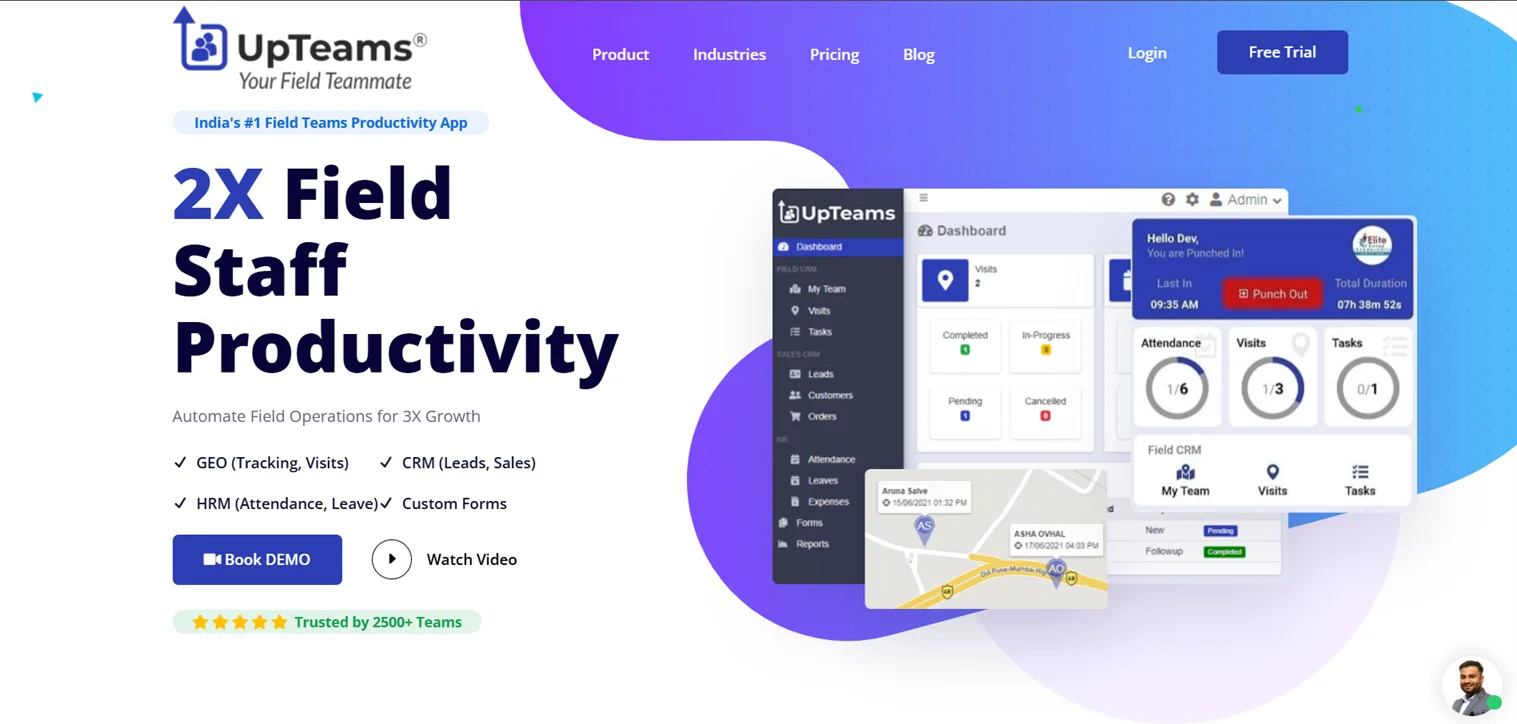
UpTeams is a field staff productivity and management app built for businesses that need full control over their field operations. It combines GPS tracking, attendance, CRM, visit management, and reporting into one mobile-first platform.
Trusted by over 2,500 teams, UpTeams positions itself as India’s leading field staff management app, though it serves businesses across multiple geographies and industries.
Key features include:
- Live GPS location tracking for all field staff
- Geo-attendance with geo-fencing, so attendance is marked only when staff are at the right location
- Visit management with check-in, check-out, notes, and real-time updates
- Lead and order management for field sales teams
- Leave, expense reimbursement, and holiday management
- Custom form builder to collect any type of field data
- Detailed reports on visits, expenses, leads, and orders
- Mobile app available on both Android and iOS
What makes UpTeams stand out for field-heavy operations is how it covers all three pillars in one place: field force tracking, HR-level attendance and leave management, and a built-in CRM. Most apps handle one or two of these well. UpTeams handles all three.
Industries served: FMCG, Pharma, BFSI, Real Estate, Healthcare, Transport, Agriculture, Hospitality, Manufacturing, and Logistics.
Best for: Field sales teams, pharma MR reporting, FMCG distribution teams, and any business managing a distributed workforce that needs both HR and CRM tools inside one app.
Pricing: Free trial available. Paid plans are available on request through the UpTeams website.
2. Jobber
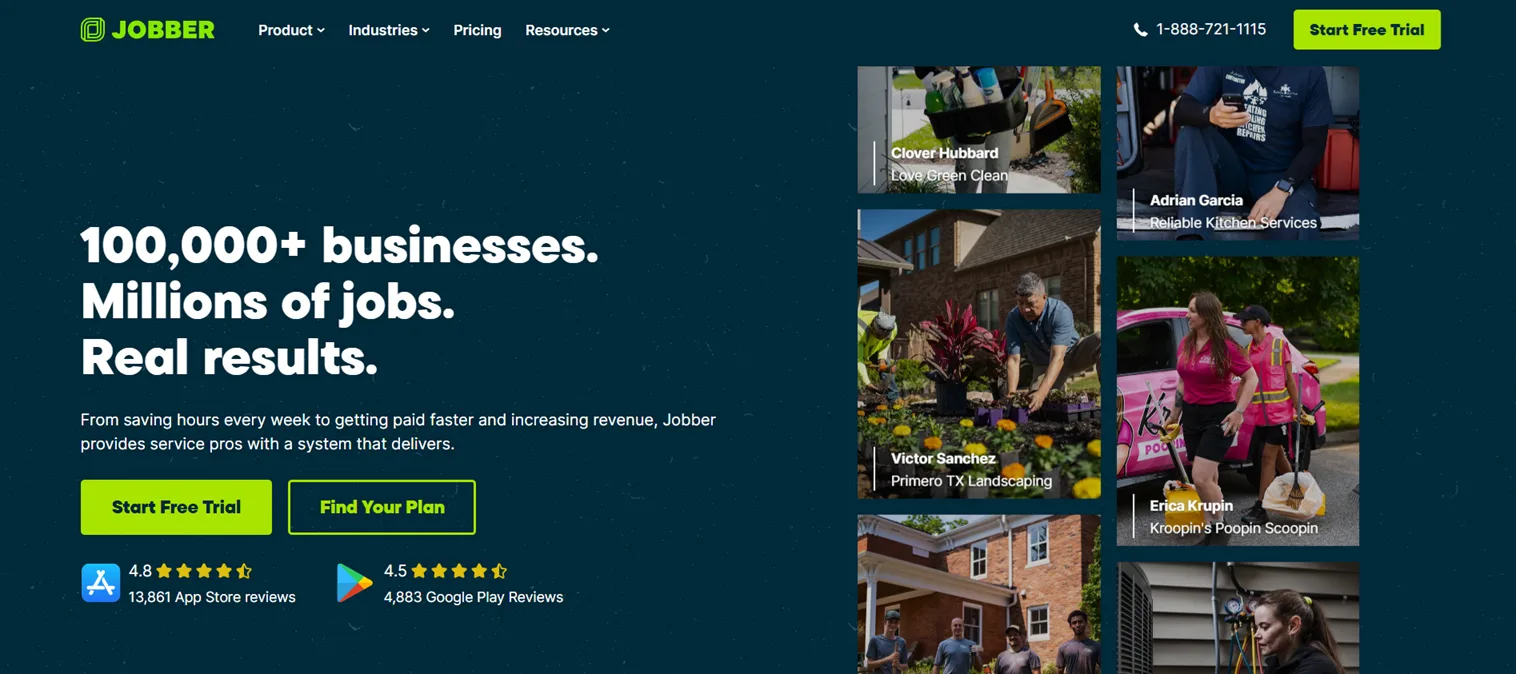
Jobber is one of the most widely used FSM platforms for small home service businesses. It was built to handle the full job cycle from quoting to scheduling to invoicing without requiring a complicated setup.
The platform is known for being easy to learn and straightforward to use, which makes it a popular choice for businesses that are getting started with FSM software.
Key features include:
- Job scheduling and calendar management
- Client management with full job history
- Quote and invoice generation
- GPS tracking for field teams
- Online booking for customers
- Mobile payments
Jobber is not built for complex operations with large teams. It works best when you need a clean, reliable tool to manage scheduling and billing for a small field crew.
Best for: Small service businesses with 2 to 15 technicians, including plumbing, landscaping, pest control, and cleaning services.
Starting price: Approximately $39/month for the Core plan.
3. Housecall Pro
Housecall Pro is an all-in-one FSM platform built around automating the day-to-day tasks that slow down residential service businesses. It is particularly strong in customer communication, with automated SMS updates, online booking, and a self-serve customer portal.
The platform serves over 15,000 companies and covers a wide range of trades.
Key features include:
- Online booking and customer self-service portal
- Automated SMS notifications when technicians are on their way
- Live GPS tracking
- Recurring service plans and maintenance scheduling
- Mobile invoicing and card payments with instant payout
- Customizable reports
- Targeted marketing and review collection tools
Housecall Pro makes it easy for customers to book, pay, and leave reviews without requiring manual handling from the office side. For businesses focused on growing recurring revenue, these features make a meaningful difference.
Best for: HVAC, plumbing, electrical, cleaning, and landscaping businesses with 1 to 20 staff.
Starting price: Approximately $79/month for the Basic plan.
4. Connecteam
Connecteam is built for managing non-desk and distributed workforces. It leans heavily into communication, scheduling, and HR tools rather than trade-specific FSM features. This makes it a flexible option for businesses that need workforce management without the complexity of a full-blown FSM platform.
The free plan for up to 10 users is one of the most generous in this category.
Key features include:
- GPS time clock and live location tracking
- Drag-and-drop shift scheduling
- Task management with checklists
- Team chat and in-app communication
- Digital forms and reports
- HR tools including onboarding, training, and document management
Connecteam works well when communication between field teams is as important as job tracking. It has consistently strong ratings for its mobile experience and its team communication features.
Best for: Distributed field teams across various industries where scheduling, communication, and HR management are the core needs.
Starting price: Free for up to 10 users. Paid plans start at approximately $29/month.
5. Service Fusion
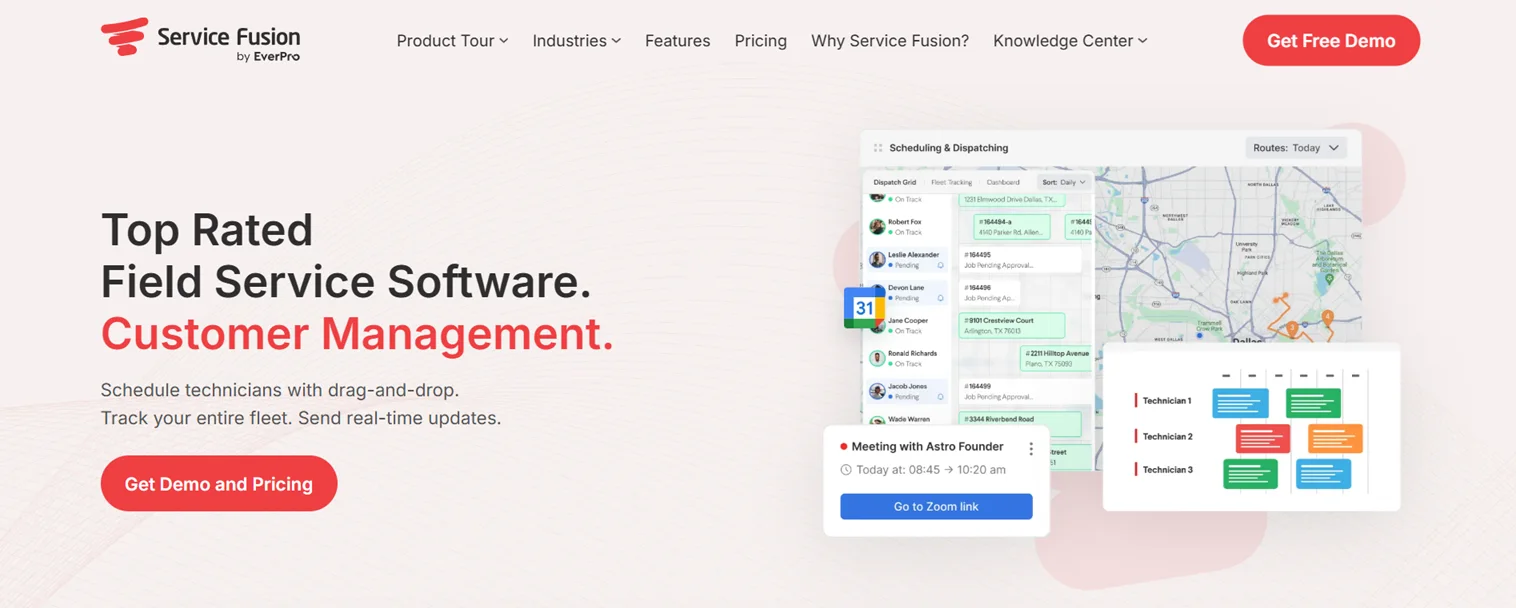
Service Fusion offers flat-rate pricing with unlimited user seats, which is a significant advantage for businesses with larger teams where per-user pricing becomes expensive quickly.
It is built around a strong dispatch board that office teams can use to manage jobs efficiently.
Key features include:
- Drag-and-drop dispatch board
- Job management and work order tracking
- Customer management portal
- GPS fleet tracking
- Invoicing and payment processing
- Estimates and quotes
Service Fusion is a good fit for contractors who need a stable, office-side dispatch and job management tool. It is worth noting that the mobile app has received mixed reviews for reliability, and the platform does not support offline functionality, so it requires a consistent internet connection.
Best for: Small to mid-size contractors with 5 to 30 staff who manage a high volume of jobs and need unlimited user access at a predictable cost.
Starting price: Approximately $245/month for unlimited users.
6. Workiz
Workiz is built for lead-driven field service businesses where phone calls and bookings are the primary source of new jobs. Its call tracking feature sets it apart from most FSM platforms in this price range.
Key features include:
- Call tracking with recording and lead attribution
- Online booking
- Job scheduling and dispatch
- Automated SMS and email notifications
- Estimates and invoices
- Free Lite plan for up to 2 users
For businesses like locksmiths, appliance repair shops, and garage door companies, knowing which marketing channel drives the most calls has real business value. Workiz captures that data automatically.
Best for: Locksmiths, appliance repair, junk removal, carpet cleaning, and other phone-heavy home service businesses.
Starting price: Free Lite plan for 2 users. Paid plans start at approximately $225/month.
7. FieldEdge
FieldEdge has been in the HVAC software space since the 1980s. It was originally built by HVAC service professionals, and that background shows in how well it handles the specific operational needs of trades-based businesses.
It is a QuickBooks Platinum Partner, which means its integration with QuickBooks is more robust than what most competitors offer.
Key features include:
- Smart dispatch board with skill-based technician assignment
- Built-in CRM with full customer and equipment history
- Mobile app with real-time access to job details
- Automated invoicing and mobile payment collection
- QuickBooks integration for synced financial data
- GPS tracking and route management
FieldEdge is best for businesses that have outgrown simpler tools and need more process depth, especially around pricing, contracts, and equipment history.
Best for: Medium to large HVAC, plumbing, and electrical contractors with 2 to 500 employees.
Pricing: Quote-based. Contact FieldEdge directly for pricing details.
8. Zoho FSM
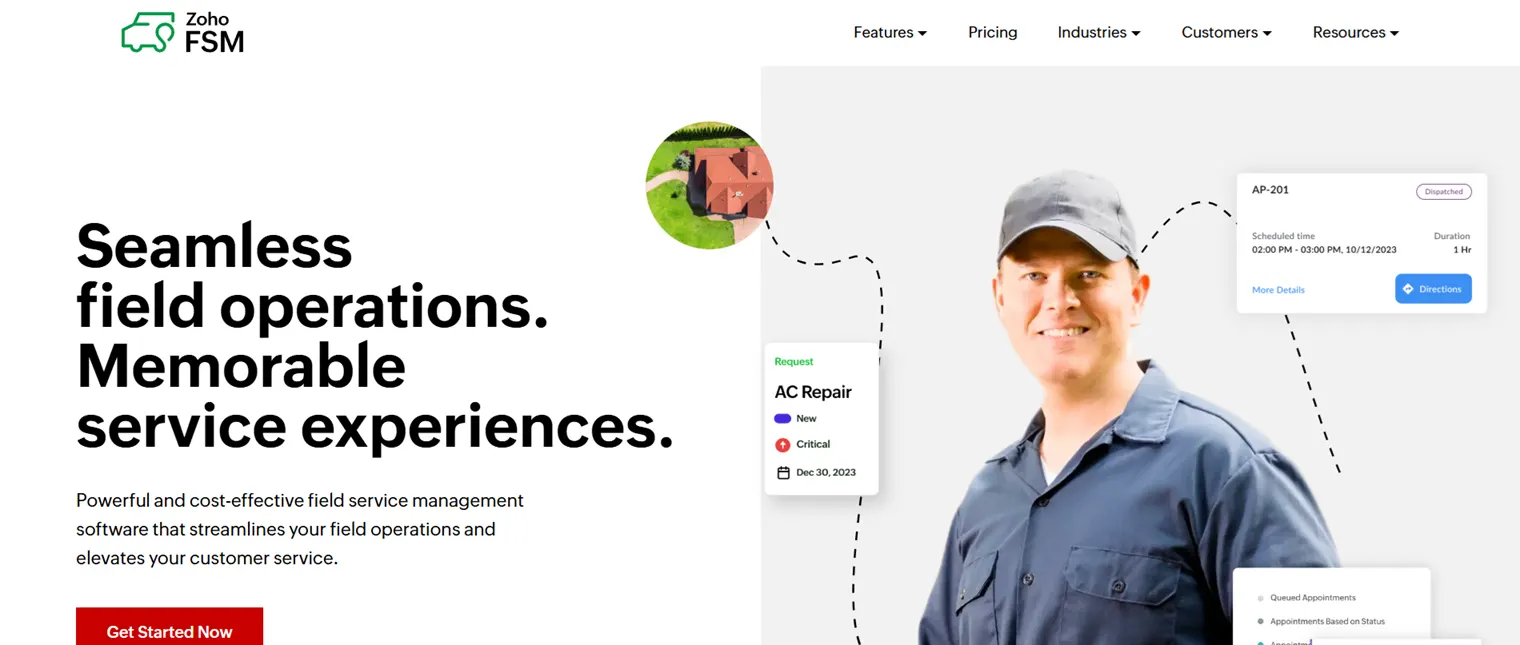
Zoho FSM is part of the broader Zoho ecosystem, which makes it a natural fit for businesses already using Zoho CRM, Zoho Books, or other Zoho products. It handles the full service cycle from request to invoice within one platform.
Key features include:
- Work order creation, assignment, and real-time tracking
- Scheduling and dispatching with Gantt, Grid, and Calendar views
- Live GPS tracking for technicians
- Mobile app for job updates, notes, and customer signatures
- Asset and inventory management
- Scheduled maintenance and service contracts
- Invoicing through Zoho Financial Suite
- Free plan for up to 20 users (30 appointments/month)
Zoho FSM offers appointment-based pricing rather than a flat per-user fee, which can be more cost-effective for businesses that do not process a very high volume of jobs each month.
Best for: Service businesses already in the Zoho ecosystem, or teams that need end-to-end FSM with strong invoicing and asset management at a lower cost than enterprise platforms.
Starting price: Free plan available. Paid plans start at approximately $25/month.
9. BuildOps
BuildOps is purpose-built for commercial contractors. While many FSM tools focus on residential services, BuildOps handles the complexity of commercial projects, multi-site operations, and subcontractor management.
Key features include:
- Scheduling and dispatch for commercial field crews
- Work order and project tracking
- Service agreements and contract management
- Job costing and profitability reporting
- Subcontractor coordination
- Mobile access for field technicians
BuildOps is not a fit for residential home service businesses. It is designed specifically for commercial HVAC, electrical, and plumbing contractors who manage larger job scopes, multiple service sites, and recurring maintenance agreements.
Best for: Commercial contractors running HVAC, electrical, or plumbing operations at scale.
Pricing: Quote-based. Contact BuildOps directly for a customized plan.
10. Kickserv
Kickserv is the most affordable option on this list, making it a practical starting point for solo operators and very small service businesses that need basic FSM functionality without a large monthly commitment.
Key features include:
- Job scheduling and calendar
- Customer management
- Estimates and invoices
- Mobile app access
- QuickBooks and Stripe integrations
- Basic reporting
Kickserv does not have the depth of features you find in mid-market tools, but for a business with 1 to 5 technicians that needs a straightforward way to manage jobs and send invoices, it covers the essentials at a price that makes sense.
Best for: Solo operators, freelancers, and very small service businesses with 1 to 5 technicians.
Starting price: Approximately $19/month for up to 3 users.
Read Also: Top 8 Industries That Need Field Staff Management Software
Which Field Service Management App Fits Which Team?
The right tool depends on your team size, industry, and what you actually need to manage day-to-day.
Small teams with fewer than 10 technicians doing residential work will get the most value from Jobber, Housecall Pro, or Kickserv. These tools are quick to set up, easy to learn, and reasonably priced for a small crew. Connecteam’s free plan is also worth looking at if budget is the primary constraint.
Growing teams of 10 to 50 staff who need more structure tend to do well with Service Fusion, Workiz, or Zoho FSM. These platforms offer more reporting capability, better process controls, and pricing structures that do not punish you for adding team members.
Trade-specific contractors particularly HVAC, plumbing, and electrical benefit most from FieldEdge, which understands the operational language of those businesses in a way that general FSM tools do not. Commercial contractors, on the other hand, should look at BuildOps.
For field sales teams, pharma MR teams, FMCG distribution teams, and any business that needs GPS tracking, geo-attendance, CRM, and HR tools in one place, UpTeams is the standout option in this category. It is especially well-suited for businesses operating in India and similar markets where managing a large distributed field workforce requires more than just job scheduling.
Features That Separate a Strong FSM App From a Basic One
There is a meaningful difference between a tool that looks good in a demo and one that actually holds up in daily field use.
Offline capability is a good example. Many FSM apps require a constant internet connection to function. That is fine in an office, but field teams often work in areas with poor connectivity. Apps that support offline mode allow technicians to log visits, complete forms, and update jobs even without a signal, and sync the data once they reconnect. If your team works in remote areas, rural locations, or basements, this feature matters more than most.
Real GPS tracking versus manual check-ins is another important distinction. Some apps allow staff to manually mark their location, which is easily gamed. A true GPS tracking system captures location automatically during field activity, giving managers an accurate and verifiable record.
Custom forms versus rigid templates affects how useful the data collection actually is. Standard templates may work for common scenarios, but most businesses have specific data they need from the field. A custom form builder lets you collect exactly what you need, whether it is a site survey, a damage report, a customer feedback form, or a product delivery confirmation.
Accounting integration determines how much manual work happens after the job is done. Tools that connect directly with QuickBooks, Zoho Books, or Stripe reduce double-entry, speed up invoicing, and give finance teams accurate data without chasing the field for paperwork.
These differences become obvious within a few weeks of daily use. Before choosing a platform, it is worth asking each vendor how they handle each of these scenarios.
Conclusion
Managing a field team without the right software means relying on calls, messages, and memory none of which scale well as your team grows.
The tools covered in this article span a wide range of team sizes, industries, and budgets. Some are built for small residential service businesses. Some are trade-specific. Some focus on communication and HR. And some are built for the complexity of commercial operations.
If you are looking for a place to start particularly if you run a distributed field team across sales, pharma, FMCG, real estate, or services and need a single platform to handle GPS tracking, attendance, visits, CRM, and reporting in one app, UpTeams is worth exploring first.
FAQs
A field service management app is a mobile and web-based platform that helps businesses manage employees who work outside the office. It typically covers scheduling, GPS location tracking, attendance, work order management, and reporting all from one place. Instead of calling staff or chasing updates manually, managers get a real-time view of field activity through the app.
The best app depends on your team size and industry. For small home service businesses, Jobber and Housecall Pro are strong options. For commercial contractors, BuildOps or FieldEdge fit better. For distributed field sales teams, pharma MR teams, and FMCG operations that need GPS tracking, geo-attendance, CRM, and HR tools in one app, UpTeams is one of the most complete solutions available.
The most important features to evaluate are real-time GPS tracking, geo-attendance, visit and task management, work order handling, offline functionality, custom form creation, CRM or lead tracking, and integration with accounting tools. The right combination depends on whether your team is primarily doing service jobs, field sales, or a mix of both.
Yes. Most FSM apps are built with small businesses in mind. Kickserv starts at around $19/month for up to 3 users. Connecteam offers a free plan for up to 10 users. Jobber works well for teams as small as 2 people. The key is matching the tool to your actual team size rather than paying for features you do not need yet.
Project management tools like Trello or Asana are built for office-based teams managing tasks and deadlines. Field service management software is built specifically for teams working in the field. It includes features like GPS location tracking, geo-based attendance, visit logging, route tracking, and mobile-first reporting capabilities that general project management tools do not offer.
Some apps support offline functionality, which allows field staff to log visits, complete forms, and update job statuses without an internet connection. The data syncs automatically once connectivity is restored. Not all FSM apps offer this. If your team works in remote areas, basements, or locations with weak signals, offline capability is a feature worth specifically checking for before you commit to a platform.
GPS tracking in FSM apps uses the mobile device’s location services to record where a field staff member is in real time. Managers can view staff locations on a live map, track routes traveled during the day, verify that visits were completed at the correct address, and review location history in reports. Geo-fencing adds an extra layer by only allowing attendance to be marked when a staff member is physically within a defined location radius.
UpTeams is built to work across geographies and supports field teams in multiple industries including FMCG, Pharma, Real Estate, BFSI, Healthcare, Logistics, and Hospitality. While it has a strong presence in India, its core features GPS tracking, geo-attendance, visit management, lead tracking, and custom forms are relevant to any business managing a distributed field workforce, regardless of location.
Pricing varies widely based on features and team size. Entry-level tools like Kickserv start at around $19/month. Mid-range platforms like Jobber start at approximately $39/month, while Housecall Pro starts at around $79/month. Flat-rate tools like Service Fusion charge approximately $245/month for unlimited users. Zoho FSM offers a free plan for up to 20 users. Enterprise or quote-based tools like FieldEdge and BuildOps require direct contact for pricing.
For a brand new team, Jobber and Connecteam are consistently rated among the easiest to set up and learn. Both have clean interfaces, straightforward onboarding, and strong customer support. Connecteam’s free plan makes it a low-risk starting point for teams that want to test FSM software before committing to a paid subscription. For teams that also need CRM and HR functionality built in from day one, UpTeams offers a structured onboarding process with demo support.