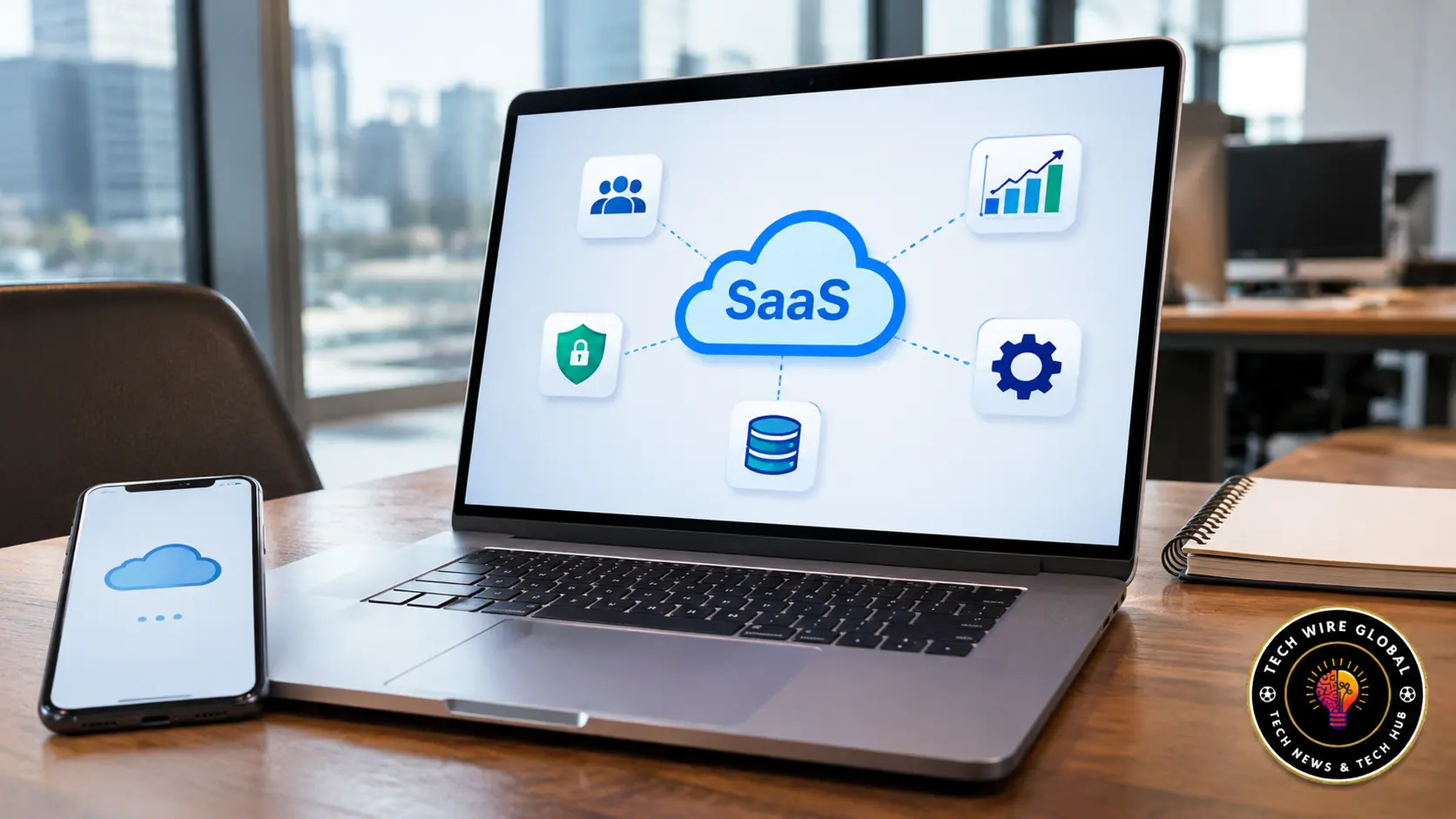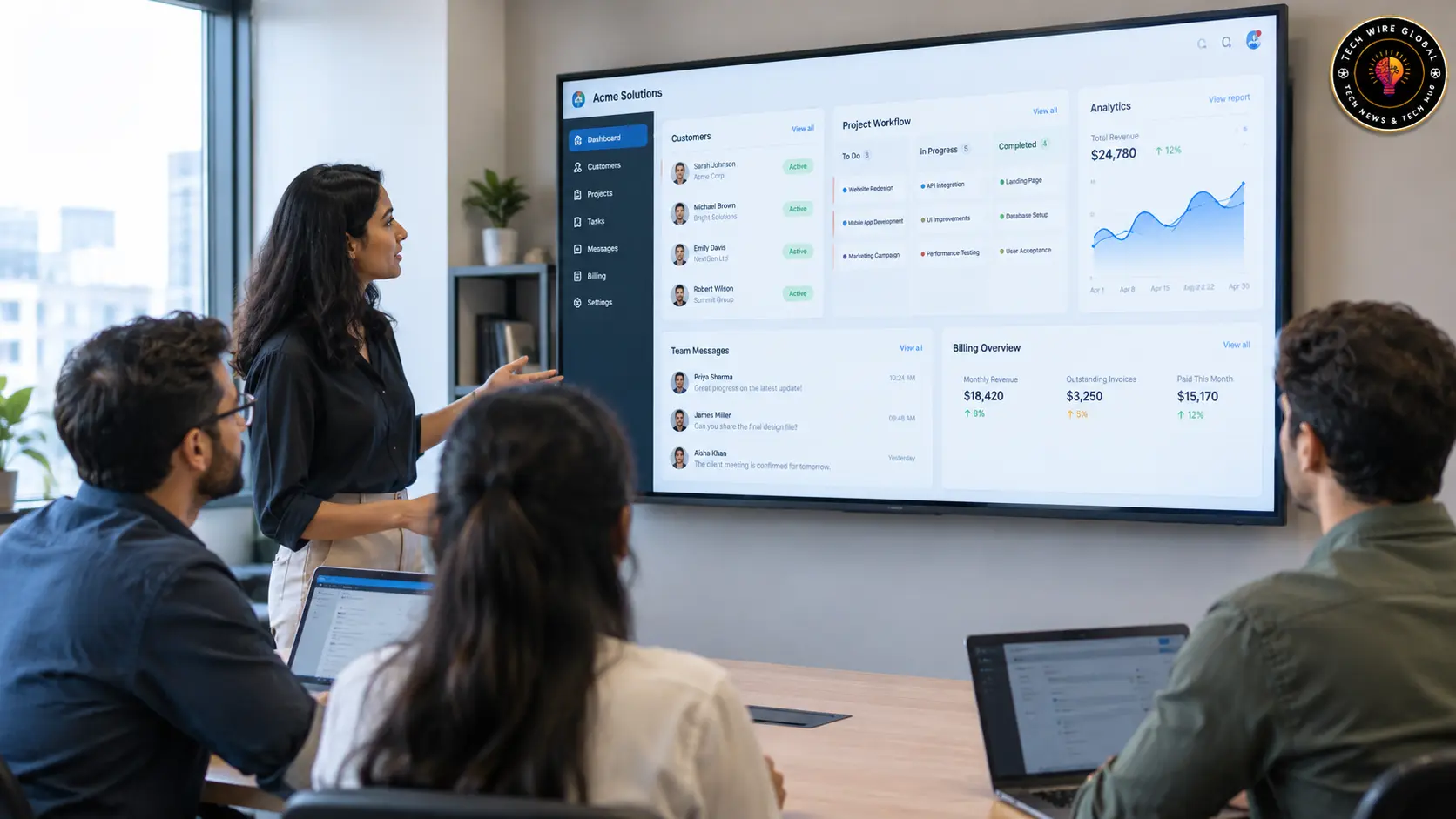
A SaaS application is software hosted and maintained by a service provider and accessed by users through the internet. Instead of installing and managing the software on their own servers, customers use it through a web browser, desktop application, or mobile app. Examples include Google Workspace for productivity, Slack for team communication, HubSpot for customer relationship management, and Asana for project management.
SaaS stands for Software as a Service. The term describes how software is delivered and managed. Customers usually pay through a subscription or usage-based plan, while the provider takes care of the application’s hosting, maintenance, and updates.
SaaS applications are used for many everyday business tasks, from sending invoices and managing employees to tracking sales and communicating with customers. Their features and responsibilities vary depending on the product, so understanding how they work can help businesses choose software that fits their needs.
What Is a SaaS Application?
A SaaS application is a software product that runs on infrastructure managed by its provider and is made available to customers over a network. Users access the application through supported devices and use its features according to their account permissions.
The National Institute of Standards and Technology (NIST) describes SaaS as a cloud service in which customers use applications running on a provider’s cloud infrastructure. The NIST definition of Software as a Service also explains that customers generally do not manage the underlying servers, networks, operating systems, or storage.
Consider a company that uses an online accounting application. Employees sign in to create invoices, record expenses, and view financial reports. The software provider operates the application and its hosting environment. The company manages its users, financial records, and account settings.
That is a SaaS application in practice.
A SaaS application is different from the broader SaaS business model. The application is the software customers use, while SaaS describes the way that software is delivered and maintained.
How Does a SaaS Application Work?
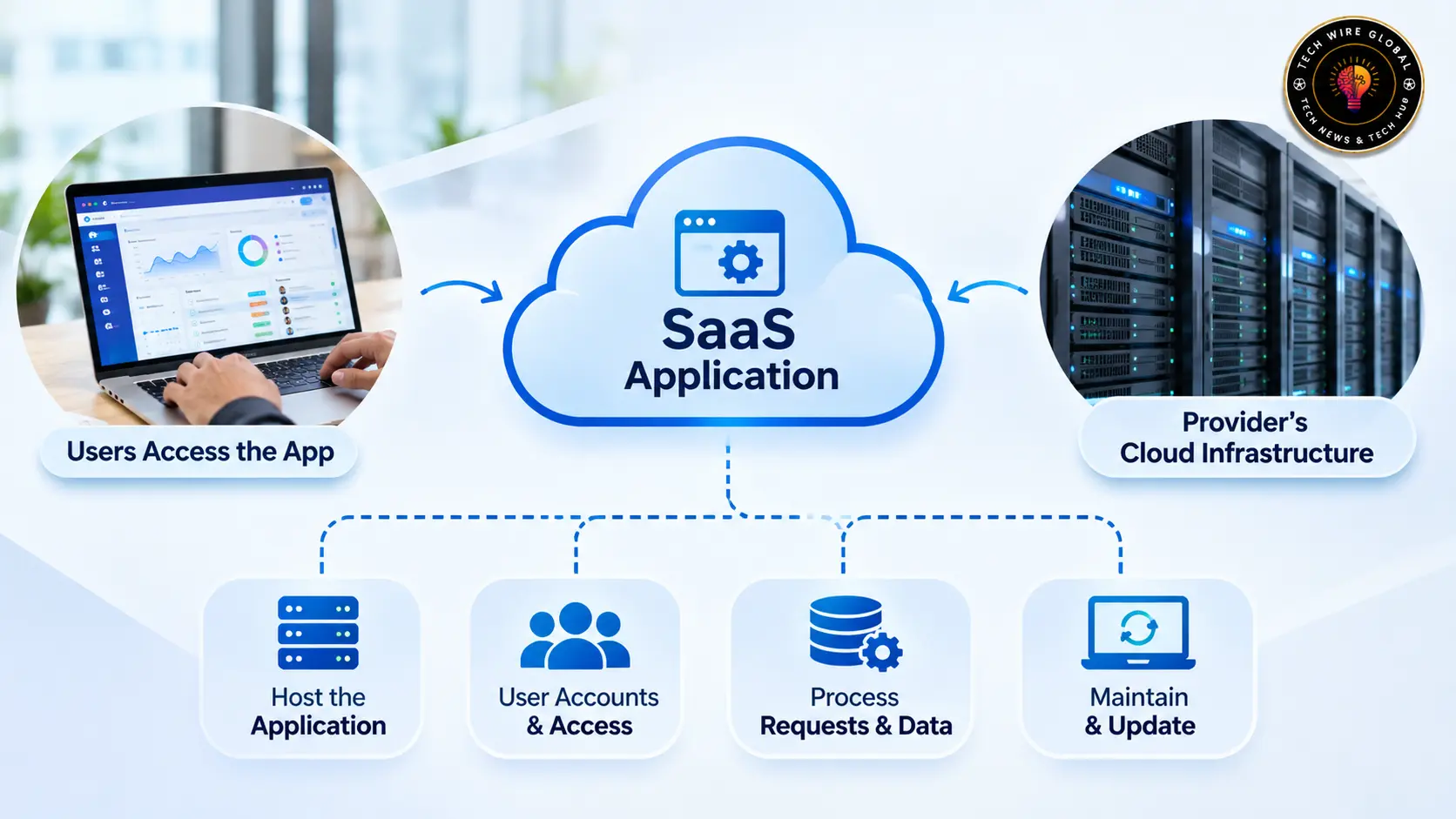
A SaaS application works through a connection between the user’s device and the provider’s hosted systems. The user interacts with the application, and the provider’s infrastructure processes requests and manages the information needed to deliver the service.
The typical process involves four parts.
1. The provider hosts the application
The software provider runs the application on cloud infrastructure. This environment may include servers, databases, storage systems, networking, and other technical components.
The provider manages the infrastructure required to operate the service. Customers generally do not need to purchase servers or maintain the underlying operating systems.
2. Users create accounts and sign in
Customers register for an account and access the application through a supported browser or app.
In a business environment, an administrator may invite employees, assign roles, and control which features or records each person can use. For example, a sales manager might have access to the entire sales pipeline, while individual sales representatives can view only their assigned opportunities.
3. The application processes requests and data
When a user performs an action, the application sends the request to the provider’s systems for processing.
Suppose a salesperson updates a customer’s phone number in a CRM. The application processes the change and saves the updated record. Other authorised employees can then view the new information through their own accounts.
The exact technical process varies by application, but the basic principle is the same: users interact with a hosted service, and the provider’s systems handle the application operations.
4. The provider maintains the application
The provider handles software maintenance, bug fixes, infrastructure management, and application updates.
Customers generally receive supported updates through the service without installing every new version themselves. The provider may also manage monitoring, backups, and recovery systems, depending on the product and its service terms.
Customers still have responsibilities. They need to manage employee accounts, protect login credentials, assign appropriate permissions, and handle business information carefully.
What Are the Main Features of a SaaS Application?
SaaS applications differ by purpose, but several features are common across many products.
Internet-based access
Users can access the application through an internet connection using a supported browser, desktop client, or mobile app.
This allows authorised employees to work from different locations without connecting directly to a company’s internal server. Some products also provide limited offline functionality, although this depends on the application.
Provider-managed infrastructure
The provider manages the technical environment required to run the application. This usually includes hosting, storage, networking, and the software’s underlying systems.
Customers can focus on using the product instead of maintaining the infrastructure themselves.
Subscription or usage-based pricing
Many SaaS providers charge monthly or annually. The price may depend on the number of users, selected features, storage capacity, or actual usage.
For example, a project management product may charge according to the number of team members, while a cloud storage service may use storage limits to determine the subscription price.
Centralised software updates
The provider manages application updates and releases them through the hosted service.
Users generally do not need to download and install every update manually. Some changes may appear automatically, while others may require an administrator to enable or configure a feature.
User accounts and permissions
Most business SaaS products provide individual accounts and access controls.
Administrators can assign roles based on job responsibilities. A finance employee, for example, may need access to invoices and expense records but not to the company’s recruitment information.
Integrations and APIs
Many SaaS applications connect with other software through built-in integrations or application programming interfaces (APIs).
A CRM might connect with an email marketing platform to share contact information. An accounting application may connect with an online payment service to record transactions.
Before subscribing, check whether the integrations you need are included in your chosen plan. Some providers restrict API access or advanced connections to higher subscription levels.
Flexible plans and user capacity
Providers often offer different subscription levels for individuals, small teams, and larger organisations.
Customers may be able to add users, increase storage, or upgrade features as their requirements change. The available options depend on the provider’s pricing and account terms.
What Are the Different Types of SaaS Applications?
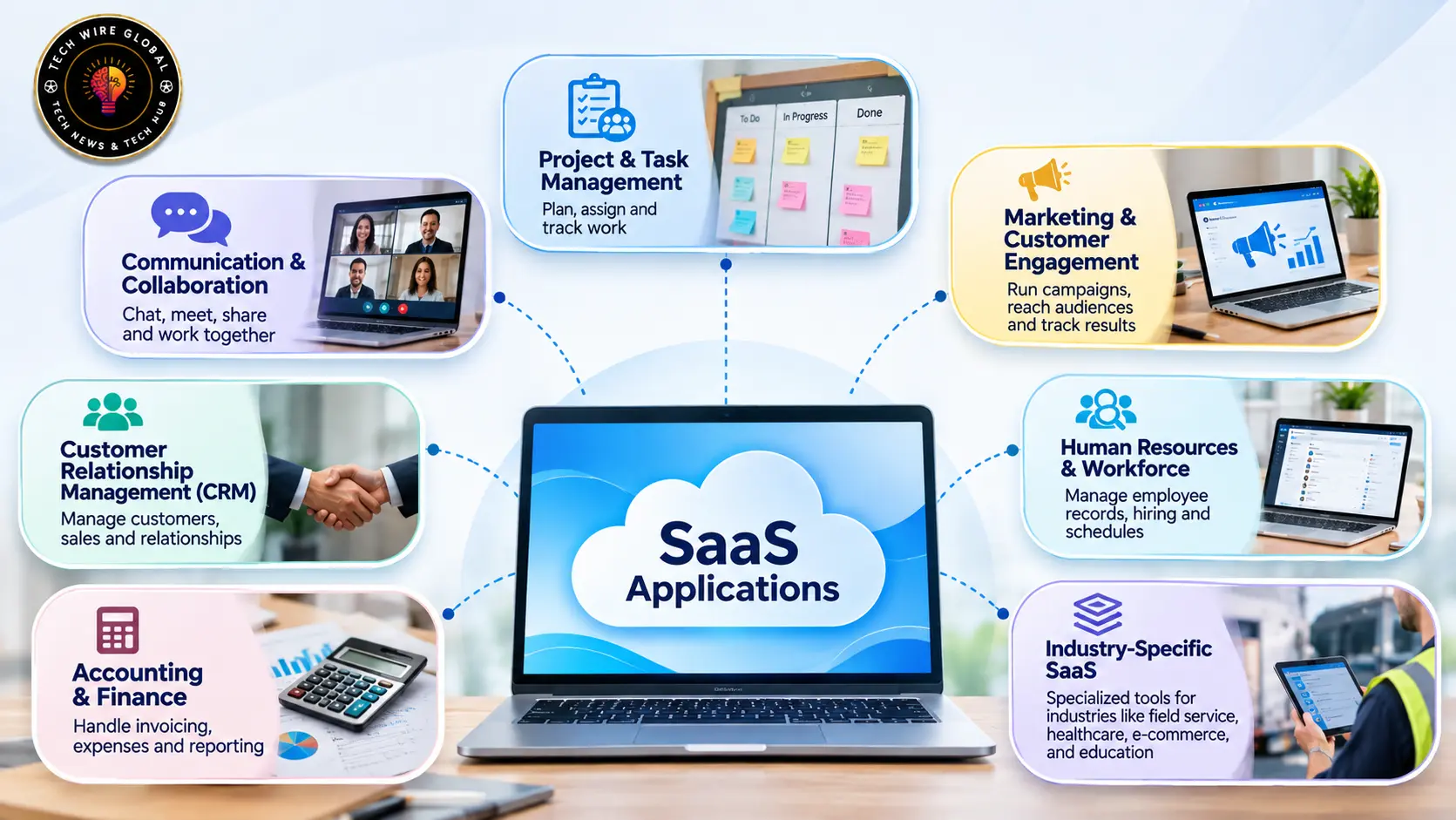
SaaS applications are available for almost every common business function. The easiest way to understand the different types is to look at the work each category supports.
1. Communication and collaboration applications
These applications help employees communicate, hold meetings, share files, and work on documents together.
Examples include:
- Google Workspace: Provides Gmail, Google Drive, Docs, Sheets, Meet, and other productivity applications.
- Slack: Supports workplace messaging, channels, file sharing, and integrations with other business tools.
- Zoom: Provides video meetings, webinars, and related communication features.
- Microsoft Teams: Combines workplace chat, meetings, calling, and collaboration features.
A distributed team might use Slack for daily conversations, Google Drive for shared documents, and Zoom for meetings with customers.
2. Customer relationship management applications
Customer relationship management (CRM) applications help businesses organise customer information and manage sales activities.
Common examples include:
- HubSpot: Offers CRM features for managing contacts, sales activities, marketing, and customer service.
- Salesforce: Provides CRM products for sales, service, marketing, and other business operations.
- Pipedrive: Focuses on sales pipeline management and tracking deals.
A sales team can use a CRM to record customer conversations, assign leads, track opportunities, and monitor the progress of deals.
3. Project management and task management applications
Project management applications help teams plan work, assign responsibilities, set deadlines, and track progress.
Examples include:
- Asana: Supports project planning, task assignment, timelines, and team coordination.
- Trello: Uses boards, lists, and cards to organise tasks and workflows.
- monday.com: Provides work management features for projects, teams, and business processes.
For example, a marketing team can use a project management application to assign writing tasks, track design approvals, and manage campaign deadlines.
4. Accounting and finance applications
Accounting SaaS products help businesses manage financial records without maintaining accounting software infrastructure themselves.
Examples include:
- QuickBooks Online: Supports invoicing, expense tracking, financial reporting, and accounting tasks.
- Xero: Provides online accounting features for businesses and their advisers.
- FreshBooks: Offers invoicing, expense management, and accounting tools, particularly for smaller businesses and service providers.
A small consultancy might use an online accounting application to create client invoices, record payments, and monitor business expenses.
Businesses should check whether an accounting product supports the tax rules, reporting requirements, and financial processes applicable to their location.
5. Marketing and customer engagement applications
Marketing applications help businesses plan campaigns, communicate with audiences, and measure marketing activity.
Examples include:
- Mailchimp: Provides email marketing, audience management, and campaign automation features.
- HubSpot Marketing Hub: Supports marketing automation, campaign management, lead generation, and reporting.
- Canva: Offers browser-based design tools for creating marketing graphics, presentations, and social media content.
A marketing team might use Mailchimp to send newsletters, Canva to prepare campaign visuals, and a CRM to manage the leads generated by those campaigns.
Businesses looking at AI-assisted marketing software can also explore these AI tools for social media marketing when comparing content creation, scheduling, and campaign management options.
6. Human resources and workforce applications
Human resources applications help organisations manage employee information and routine workforce activities.
Examples include:
- BambooHR: Provides employee records, hiring, onboarding, and HR management features.
- Workable: Supports recruitment, candidate tracking, and hiring workflows.
- Deputy: Offers employee scheduling, time tracking, and workforce management tools.
A growing company might use an HR application to maintain employee records, organise onboarding, and manage leave requests.
7. Industry-specific SaaS applications
Some SaaS products are designed for a particular industry or type of operation. They include workflows and features that general-purpose business software may not cover.
Examples include:
- Field service management software: Helps service companies schedule technicians, assign jobs, and manage work orders.
- Healthcare practice management software: Supports appointment scheduling, patient administration, and practice operations.
- Learning management systems: Help educational institutions and businesses organise courses, training materials, and learner progress.
- E-commerce platforms: Provide tools for managing online stores, product catalogues, orders, and payments.
A field service company, for instance, may use an online platform to assign repair jobs, share job details with technicians, and update work orders from mobile devices. Businesses comparing software in this category can explore these field service management applications for field teams.
These categories can overlap. A single SaaS platform may include CRM, marketing, customer support, and automation features.
SaaS Application Examples by Business Use
Looking at real business activities makes the different application types easier to understand.
| Business activity | SaaS application example | How it is used |
| Managing customer records | HubSpot | Stores contact details, tracks leads, and records customer interactions |
| Team communication | Slack | Organises conversations and shares information across teams |
| Project planning | Asana | Assigns tasks, sets deadlines, and tracks project progress |
| Accounting | QuickBooks Online | Records expenses, prepares invoices, and manages financial information |
| Email marketing | Mailchimp | Creates and sends email campaigns to selected audiences |
| Graphic design | Canva | Creates presentations, marketing graphics, and social media content |
| Recruitment | Workable | Organises job applications and hiring activities |
These examples show that SaaS is not limited to one type of software. The same delivery model can support sales, finance, marketing, communication, human resources, and industry-specific operations.
A business does not necessarily need a separate application for every activity. Some platforms combine several functions, while others focus on one specialised task.
SaaS Applications vs Web Applications vs Desktop Software
SaaS applications, web applications, and desktop software are related terms, but they describe different aspects of software.
| Comparison | SaaS application | Web application | Desktop software |
| Access | Usually through a browser, desktop client, or mobile app | Through a web browser | Installed on a computer |
| Hosting | Commonly managed by the SaaS provider | May be hosted by an organisation or external provider | May run locally or connect to remote services |
| Maintenance | Usually managed by the SaaS provider | Depends on the owner and hosting arrangement | Often managed by the user or IT team |
| Payment | Commonly subscription or usage-based | Can be free, paid, or subscription-based | Can be purchased, licensed, or subscription-based |
| Examples | Slack, HubSpot, Google Workspace | Internal company portals and browser-based tools | Locally installed video editors and office software |
The main distinction is that SaaS describes a software delivery model, while web application describes how users access software.
A web application hosted on a company’s own servers is not automatically a SaaS product. The organisation may still be responsible for its infrastructure, updates, and maintenance.
Desktop software is generally installed on a computer. Some desktop applications also connect to cloud services, so a product can combine locally installed software with SaaS features.
What Are the Benefits and Limitations of SaaS Applications?
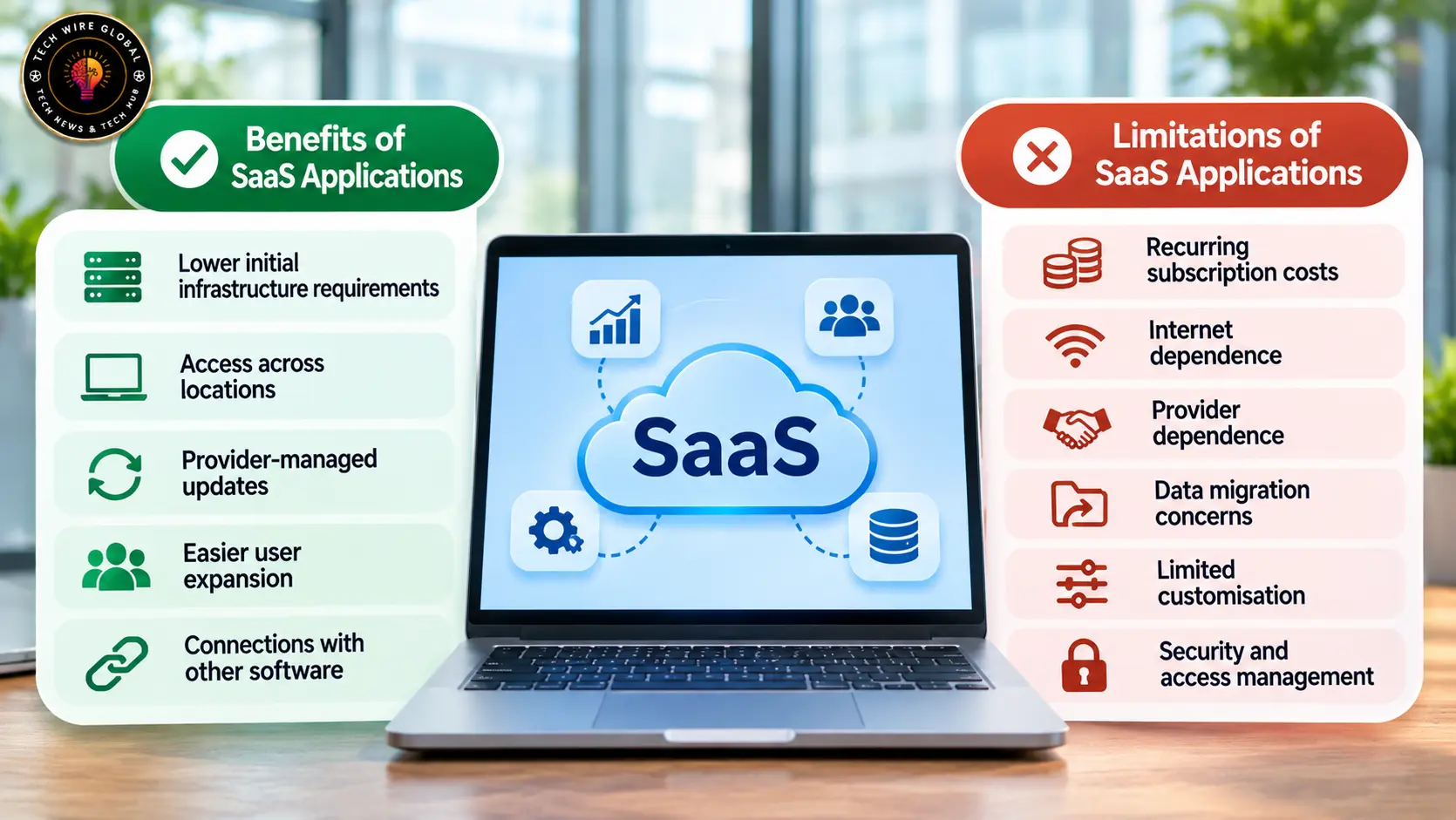
SaaS applications can reduce the technical work involved in running business software. They also introduce dependencies that organisations should understand before adopting them.
Benefits of SaaS applications
Lower initial infrastructure requirements: Businesses generally do not need to purchase and maintain their own servers to use a provider-hosted application.
Access across locations: Employees with authorised accounts can use the application from supported devices and locations with an internet connection.
Provider-managed updates: The provider handles software maintenance and supported updates, reducing the need for customers to install every release manually.
Easier user expansion: Many products allow administrators to add accounts as teams grow, subject to subscription limits and pricing.
Connections with other software: Integrations and APIs can help applications exchange information and reduce repeated manual data entry.
Limitations of SaaS applications
Recurring subscription costs: Monthly or annual fees continue for as long as the business uses the service. Costs may rise as the organisation adds users, storage, or advanced features.
Internet dependence: Most applications require an internet connection for their main functions. A network outage may interrupt access to business information.
Provider dependence: Customers rely on the provider to maintain the service, support users, and continue operating the product.
Data migration concerns: Moving to another application may require exporting records, transferring files, rebuilding workflows, and reconnecting integrations.
Limited customisation: Some products restrict changes to their design and functionality. Businesses with specialised processes may find that standard features do not cover every requirement.
Security and access management: A provider’s security controls do not remove the customer’s responsibility to manage accounts and permissions.
The NIST publication General Access Control Guidance for Cloud Systems explains that cloud service models have different access-control requirements. For a SaaS customer, this makes user permissions, account management, and appropriate access to application data important parts of software administration.
How to Choose a SaaS Application for Your Business
The right application depends on the work that needs to be done, the people who will use it, and the systems it must connect with. A long feature list does not necessarily make a product suitable for a particular organisation.
Before subscribing, consider the following points.
Identify the problem the software needs to solve
Start with the task that currently takes too much time or creates avoidable problems.
A sales team struggling to track leads may need a CRM. A company having difficulty assigning jobs to technicians may need field service management software. A business that needs to organise employee records may benefit from an HR application.
Be specific about the required workflow before comparing products.
Check user roles and permissions
Find out whether administrators can assign roles, restrict access to records, and manage employee accounts.
This matters when different teams work with different types of information. Finance records, customer details, and employee information should be accessible only to people who need them.
Review integrations
Check whether the application connects with the tools your business already uses.
For example, a CRM may need to connect with an email platform, accounting software, or customer support system. Confirm whether the required integrations are available on your subscription plan and whether they involve additional charges.
Understand the full subscription cost
Look beyond the advertised starting price.
Check the cost of additional users, storage, advanced features, API access, support, and optional modules. Also review the billing period, renewal conditions, and cancellation terms.
A product with a low starting price may become more expensive as the business adds employees or requires additional functionality.
Review security and data handling
Read the provider’s security documentation and privacy terms.
Check whether it offers suitable authentication options, role-based access, audit logs, data export, backups, and information about data storage locations. Organisations in regulated industries should also check whether the product and its contract meet their specific legal and compliance requirements.
Do not assume that a provider’s general security claims automatically make the product suitable for every type of business data.
Test the application before rolling it out
Use a free trial or demonstration to test the main workflows.
Ask a few employees who will use the software to complete realistic tasks. Check how easily they can perform those tasks, whether the application works on their devices, and whether the available features match the business requirements.
Testing with actual workflows is more useful than judging a product only by its homepage or feature list.
SaaS Applications Across Different Industries
SaaS applications support different activities depending on the needs of an industry.
Retail and e-commerce: Online retailers use SaaS platforms to manage product catalogues, customer orders, payments, inventory, and marketing campaigns.
Professional services: Consultants, agencies, and service providers use applications for client records, project management, invoicing, and appointment scheduling.
Healthcare: Healthcare organisations may use hosted applications for practice administration, appointment management, and other operational tasks. They need to assess privacy, security, contracts, and applicable healthcare regulations before storing sensitive information.
Field operations: Maintenance, installation, and repair companies can use SaaS applications to schedule technicians, assign jobs, update work orders, and record service activity.
Education and training: Schools, universities, and businesses use learning management systems to organise courses, distribute materials, and track learner progress.
The specific product requirements differ by industry. A general project management application may be sufficient for a small marketing team, while a healthcare organisation may need software with specialised privacy and administrative controls.
SaaS Applications and Business Software Resources
SaaS applications cover a wide range of business needs, from communication and accounting to customer management and industry-specific operations. Understanding the delivery model is a useful starting point, but choosing the right product requires checking its actual features, pricing, integrations, security arrangements, and limitations.
Tech Wire Global publishes practical information about SaaS products, business applications, software comparisons, and tools used by organisations. Readers researching software can use its guides to understand product categories and compare applications based on their intended use.